
MoCA backhaul for mesh: wired backhaul
(MoCA & Ethernet)
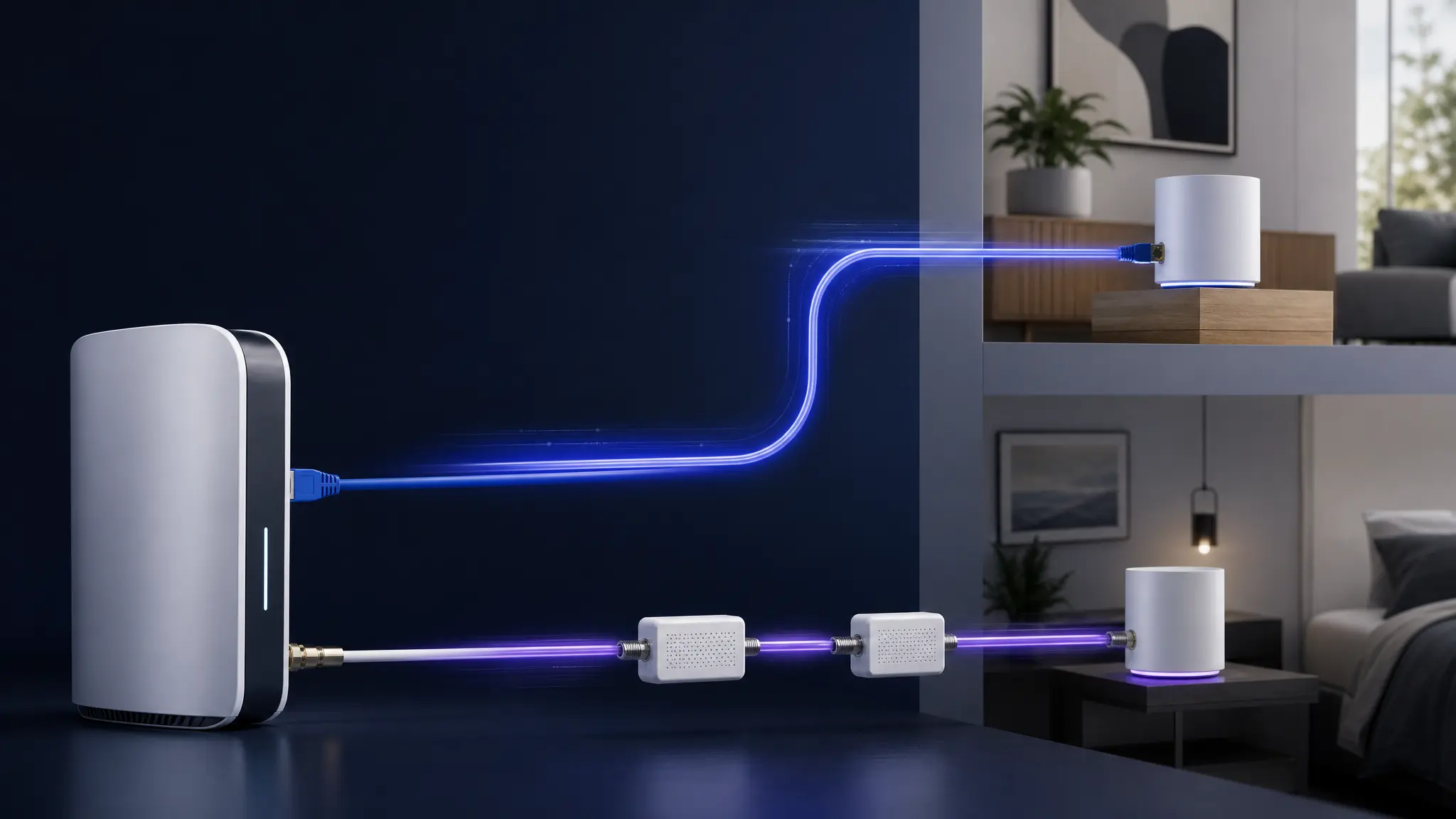
Backhaul is the link between your router and each mesh node. The highest-ROI upgrade is usually wired backhaul: Ethernet backhaul if you can run cable, or MoCA backhaul if you already have coax.
Start: wired backhaul for meshMoCA 101MoCA vs Ethernet vs Powerline
Prefer Ethernet? Use Ethernet basics. Frontier fiber or eero? Start with Frontier MoCA setup. Already flaky? Jump to MoCA no-internet troubleshooting.
Big picture: Ethernet is the cleanest path when you can run cable; MoCA is the fast fallback when the coax is already there.
Quick starts
Pick the path that matches your wiring or symptom:
When wired backhaul is worth itMoCA 101 (have coax)Ethernet basics (can run cable)MoCA decision labCheck splitters & POE filter firstMoCA has no internet or dropsMoCA light is on, no internetCoax splitter checklistMoCA starter bundle (what to buy)
Choose in 30 seconds
Pick the closest wiring situation first, then use the follow-up page for setup, troubleshooting, or buying checks.
Still comparing options? Use MoCA vs Ethernet vs Powerline.
Measure before buying
If the problem room already has coax, prove one wired path before shopping for every jack: confirm coax at the router and room, check the first splitter, place the PoE filter, then wire only the node closest to the dead zone.
Run the MoCA decision labMeasure the weak roomConfirm adapter countMesh still says wireless?
Shopping shortcut
If you are ready to buy, check the coax reliability parts before choosing adapters: old splitters, missing POE filters, and the wrong adapter count are the easiest way to make good MoCA gear look bad.
Check splitters & POE filter firstMoCA starter bundleMoCA adapter for meshAdapter chooserMoCA adapters (quick picks)MoCA vs Ethernet vs Powerline
Why Wired Backhaul Matters
Three practical advantages that wireless mesh can’t match.
More usable bandwidth
Client traffic is not competing with a wireless relay hop.
Lower latency spikes
Wired links avoid Wi-Fi interference and reduce jitter.
More consistent coverage
Each node has a stable uplink, so you often need fewer nodes.
If you only fix one thing: wire the backhaul for the node that serves your problem room (Ethernet if possible, otherwise MoCA over coax).
Choose Your Backhaul Type
Two wired options: Ethernet (best) and MoCA (best if you have coax).
Ethernet Backhaul
BESTCat5e or Cat6 cables from your router to each access point. Gigabit+ speeds, lowest latency, zero overhead.
- 1–10 Gbps depending on cable category
- Industry standard, maximum compatibility
- PoE support (power APs over the same cable)
MoCA Backhaul
UNDERRATEDUse existing coax (cable TV) wiring. MoCA adapters turn coax into a gigabit network — no new cable runs.
- Up to 2.5 Gbps (MoCA 2.5)
- Leverages existing coax infrastructure
- Coexists with cable internet and TV
Ethernet vs MoCA: fast choice
If you can run cable, Ethernet is the cleanest path. If you already have coax jacks, MoCA is usually the fastest wired upgrade without opening walls.
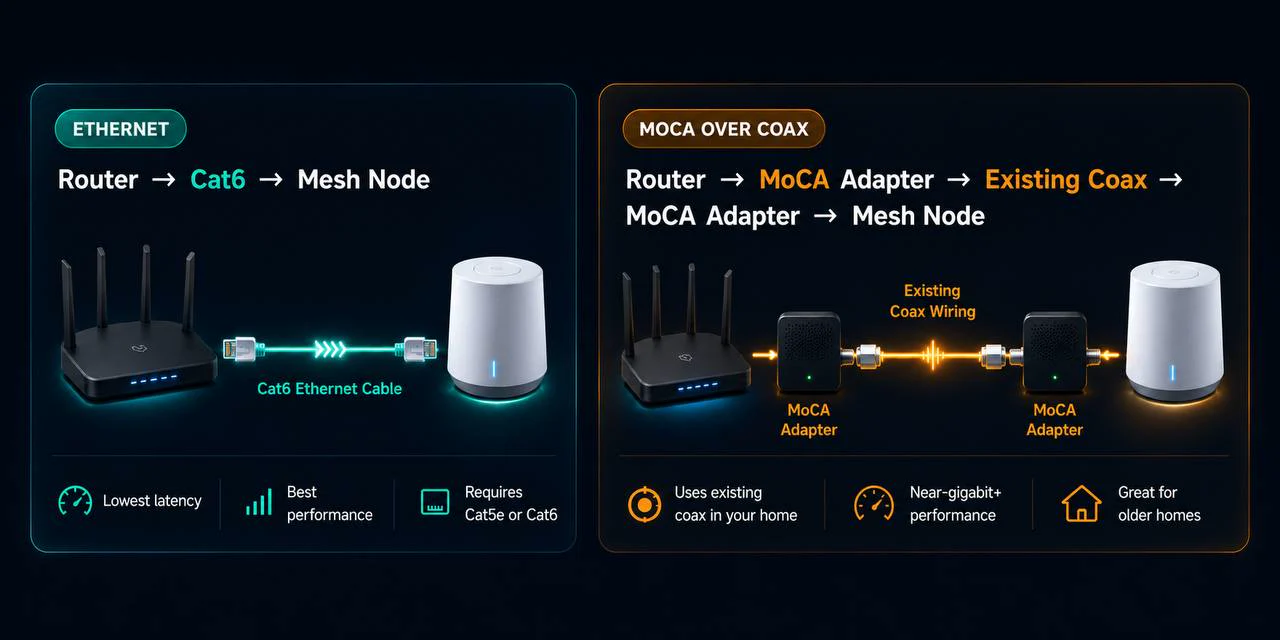
MoCA backhaul (Ethernet over coax): the fast “no‑drywall” upgrade
If you searched for MoCA backhaul: it’s just “wired backhaul” using your existing coax wiring. Start with What is MoCA?, then use the MoCA wiring diagram to sanity‑check splitters/filters before you buy adapters.
Quick decision: if you have coax, start with MoCA 101. If you can run cable, start with Ethernet basics. If it’s already flaky (drops / low speeds / random disconnects), jump straight to MoCA troubleshooting.
Also useful: MoCA vs Ethernet vs Powerline (when each option makes sense), plus the 10‑minute Wi‑Fi walk test to separate placement issues from backhaul problems.
Start here (highest ROI)
Most visitors only need one of these paths.
- MoCA 101 | what it is, when it wins, what you need
- MoCA decision lab | prove the coax path, adapter count, and first-room test before buying
- MoCA wiring diagram | where adapters, splitters, and filters go
- MoCA starter bundle | what to buy (simple list)
- MoCA splitters and POE filters | the #1 reliability gotcha (do this first)
- MoCA troubleshooting | drops / low speeds / flaky links
- MoCA vs Ethernet vs Powerline | pick the right wired option
- When wired backhaul is worth it | the why and when overview
Shopping now? Use the short list first: MoCA starter bundle (what to buy).
Popular backhaul guides
Start here if you want stable mesh with fewer ‘random’ drops.
MOCA
What is MoCA?
Turn coax jacks into reliable wired backhaul for mesh.
RELIABILITY
Splitters & POE filters
The #1 MoCA gotcha (fix this before buying random adapters).
UPGRADE
MoCA 2.5 vs MoCA 1.1
What versions mean, when to upgrade, and what to buy.
TROUBLESHOOT
MoCA troubleshooting
Drops, low speeds, unstable links — the fast checklist.
Top 3 MoCA adapters
If you want to buy once and be done, start here. (We don’t hardcode prices.)
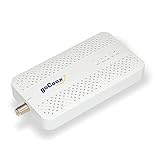
goCoax MA2500D (single adapter)
goCoax MoCA 2.5 Adapter with 2.5GbE Ethernet Port | MA2500D Ethernet Over Coax for Gaming & 4K Stre…
★Best Overall Value
- MoCA 2.5 with one 2.5GbE Ethernet port per adapter
- Two compatible peers required; count existing LAN MoCA equipment
Skip this if: Working Ethernet or existing compatible MoCA already meets the need, or the coax carries satellite/unknown shared or ISP service. Map the path before buying; do not buy two new adapters when only one peer is missing.
Check before buying: Needs at least two compatible MoCA peers on a connected 1125–1675 MHz path. Count a compatible built-in LAN MoCA peer before ordering; verify active ISP spectrum and splitters. Not for active satellite coax.
Product fit and sources · 2026-09-13
AI-assisted manufacturer-document review, not hands-on testing.
goCoax MA2500D, 2.5GbE port, single adapter. Verify pack quantity and included power supplies in the selected listing.
Retailer reported in stock (2026-09-13). Availability checks are not editorial approval.

goCoax MA2500D (two-adapter pack)
goCoax MoCA 2.5 Adapter (2-Pack) with 2.5GbE Ethernet Port | MA2500D Ethernet Over Coax for Gaming…
★Starter Pair
- MoCA 2.5 with one 2.5GbE Ethernet port per adapter
- Two compatible peers required; count existing LAN MoCA equipment
Skip this if: Working Ethernet or existing compatible MoCA already meets the need, or the coax carries satellite/unknown shared or ISP service. Map the path before buying; do not buy two new adapters when only one peer is missing.
Check before buying: Needs at least two compatible MoCA peers on a connected 1125–1675 MHz path. Count a compatible built-in LAN MoCA peer before ordering; verify active ISP spectrum and splitters. Not for active satellite coax.
Product fit and sources · 2026-09-13
AI-assisted manufacturer-document review, not hands-on testing.
goCoax MA2500D, 2.5GbE port, two-adapter pack. Verify pack quantity and included power supplies in the selected listing.
Retailer reported in stock (2026-09-13). Availability checks are not editorial approval.

Actiontec ECB6250 (ScreenBeam) MoCA 2.5
ScreenBeam MoCA 2.5 Network Adapter for Higher Speed Internet, Ethernet Over Coax - Starter Kit (Mo…
★Premium Performance
- MoCA 2.5
- Solid reliability
- Good premium option
All backhaul guides
- What is MoCA?
- MoCA backhaul decision lab
- MoCA without cable TV (use coax for networking)
- MoCA in an apartment or condo (safe setup)
- MoCA wiring diagram (adapters, splitters, filters)
- MoCA for beginners (diagram + setup)
- MoCA for mesh backhaul (setup patterns)
- MoCA with eero mesh (wired backhaul topology)
- MoCA with fiber internet (use coax for backhaul)
- Best MoCA adapters (starter picks)
- MoCA starter bundle (what to buy)
- Ethernet backhaul basics
- Flat Ethernet cable for mesh backhaul
- Ethernet backhaul for apartments (no drilling)
- Wired backhaul (what it is)
- Mesh vs backhaul (when to add nodes vs wire it)
- MoCA vs Ethernet vs Powerline
- MoCA 2.5 vs MoCA 1.1 (upgrade guide)
- MoCA troubleshooting checklist
- MoCA splitters & POE filters
- MoCA POE filter placement (where it goes)
- Wired backhaul for mesh (why it wins)
- Enable MoCA on an Xfinity gateway
- Enable MoCA on a Cox Panoramic gateway
- Spectrum MoCA setup (Charter)
- Frontier MoCA setup (fiber gateway and coax backhaul)
- Enable MoCA on a Verizon Fios router
Backhaul FAQ
What is backhaul?
Backhaul is the connection between your router and your mesh nodes. Wired backhaul (Ethernet or MoCA) is usually faster and more reliable than wireless hops.
Is MoCA good for mesh backhaul?
Yes. If your home has coax jacks, MoCA can deliver near‑Ethernet stability without running new cable.
Where do I start?
Start with Ethernet backhaul basics or What is MoCA?. If anything’s flaky, jump to MoCA troubleshooting.