
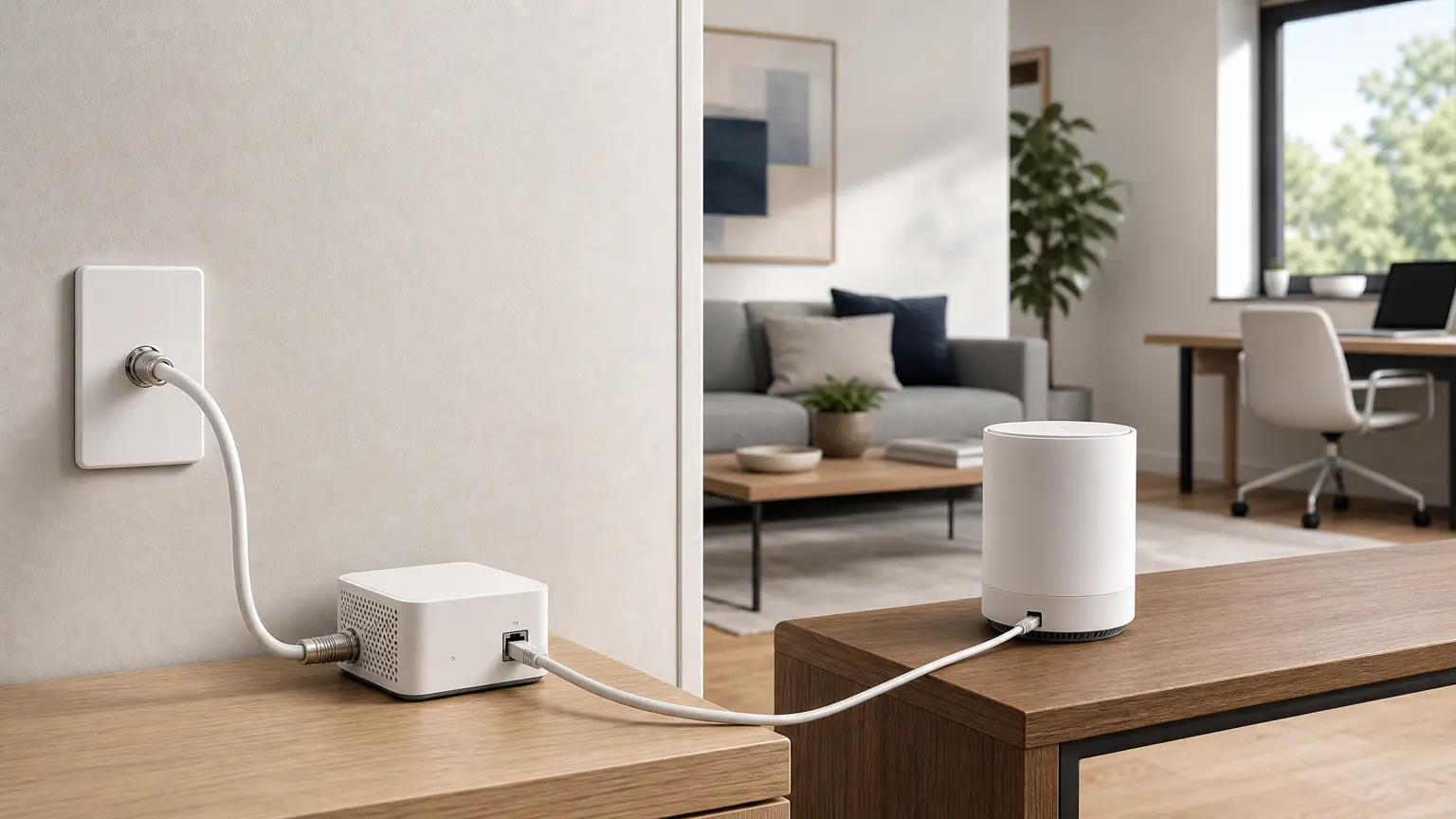
Quick answer: MoCA on a router means the router or gateway can use your home’s coax wiring as an Ethernet-like network path. If the router has MoCA LAN built in, it can feed a remote room over coax; if it does not, you usually need two MoCA adapters.
MoCA (Multimedia over Coax Alliance) lets you use existing coax wiring as a fast, low-latency wired network, effectively ‘Ethernet over coax.’ For many homes, it’s the cheapest path to true wired backhaul without opening walls. If you’re new, start at the Backhaul hub and keep this handy: MoCA splitters & POE filters.
Router answer
If your router settings show MoCA: it usually means the gateway can bridge your LAN onto coax. Enable it only when your coax path, splitters, and PoE filter are correct. If your router has no MoCA setting, use one adapter at the router and one adapter in the remote room.
Quick take
If you have coax jacks near your router and near the dead zone, MoCA is often the highest-ROI upgrade you can make. Start with a two-adapter test before expanding to every room.
Related
- Start-to-finish: Backhaul hub
- Coax parts that make/break MoCA: splitters & POE filter
- MoCA not working? MoCA troubleshooting checklist
- Alternative (best case): Ethernet backhaul basics
- Apartment/condo coax: MoCA in an apartment or condo
ISP shortcuts
If your goal is to use MoCA with your ISP gear, these are the fastest setup notes:
- Xfinity gateway: enable MoCA if available
- Cox Panoramic gateway: enable MoCA or use two adapters
- Spectrum (Charter): usually two-adapter MoCA backhaul
- Verizon Fios router: MoCA LAN vs two-adapter setup
Already getting a MoCA light but speeds are low or the link drops? Jump to MoCA troubleshooting (quick fixes for splitters, POE filters, and coax topology).
Next step
If you’re ready to wire your mesh, here are the fastest paths:
MoCA starter bundleMoCA adapters (quick picks)MoCA vs Ethernet vs PowerlineMoCA troubleshooting
Best next click (shopping)
If you’re going to buy MoCA gear today: use this short list first so you don’t miss the two small parts that prevent most ‘MoCA is flaky’ setups.
MoCA starter bundle (what to buy)MoCA adapters (quick picks)Splitters & POE filters (do this first)
Already bought adapters and it’s acting weird? Jump to MoCA troubleshooting.
On this page
Diagram
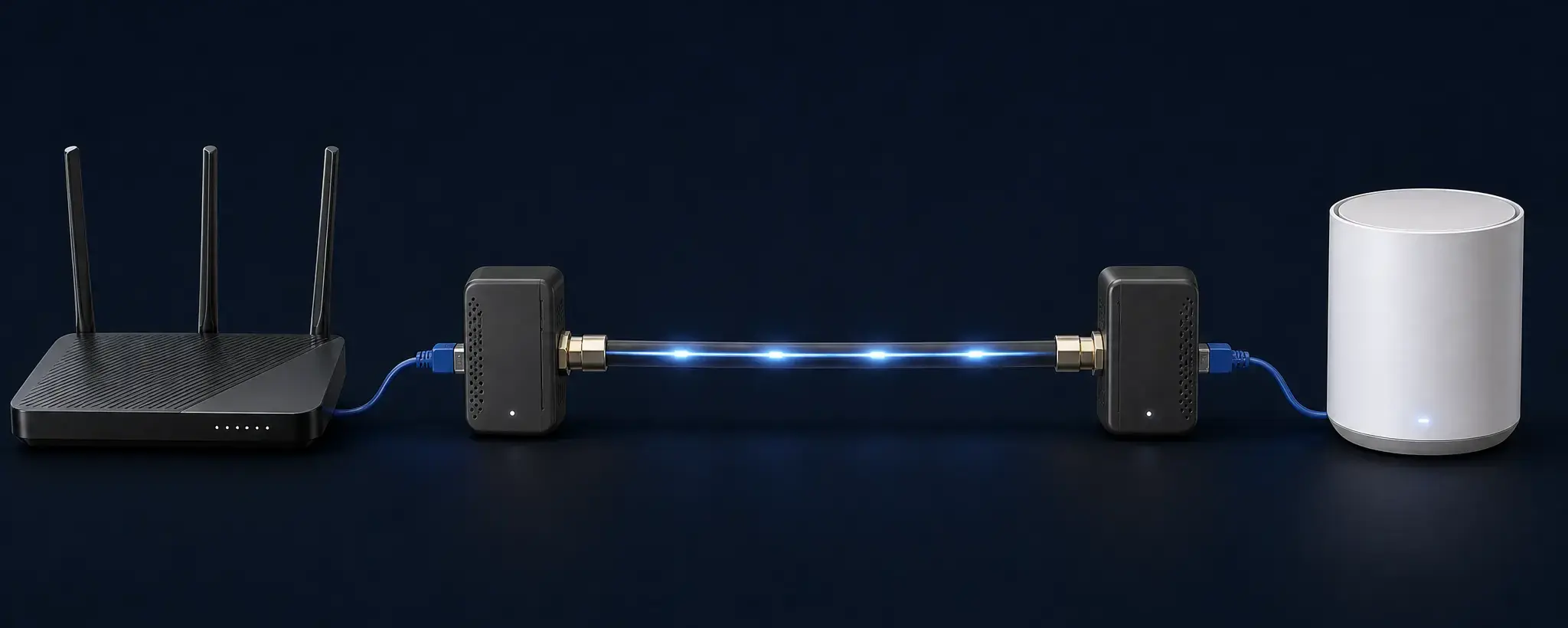
Two MoCA adapters turn your existing coax into a wired link for a mesh node (splitter/filter details vary by home).
MoCA in 3 steps (fastest path to stable mesh)
- Confirm coax at both ends: one near your router, one near the dead zone.
- Add adapters + filter: start with the MoCA starter bundle (or see splitters & POE filters).
- Wire your mesh nodes: use wired backhaul so nodes stop relying on wireless hops.
If anything’s flaky, jump straight to MoCA troubleshooting.
When MoCA is a win (real-world scenarios)
- Upstairs office / bedroom dead zone: wire the node that serves your work calls.
- Garage / shop Wi‑Fi: coax to the wall by the garage can beat adding more mesh hops.
- Streaming / gaming stutter: wired backhaul cuts jitter and random drops.
- Dense walls: plaster/brick/ductwork makes wireless hops unreliable.
- No new Ethernet: you can’t (or don’t want to) run cable through finished walls.
What you need (typical)
- 2× MoCA adapters (one at the router side, one at the remote coax jack)
- Coax jacks connected to the same coax ‘tree’ (often via a splitter)
- Typical with cable ISP: a MoCA POE filter at the entry point + MoCA-rated splitters
- Typical with fiber (no active coax feed): you may still want MoCA-rated splitters; the POE filter is sometimes optional but can help stability
Adapter picks
Already have coax sorted and just need adapters?
Best MoCA adapters (starter picks)MoCA adapters (quick picks)
MoCA vs Ethernet vs Powerline (fast reality check)
| Option | Best for | Tradeoffs |
|---|---|---|
| Ethernet | Maximum speed + reliability | Hardest to run in finished walls |
| MoCA (coax) | Near-Ethernet stability using existing coax | Needs the coax plant set up correctly (splitters/filters matter) |
| Powerline | ‘Try it today’ when there’s no coax and no Ethernet | Highly variable performance; can be noisy/unreliable |
If you’re deciding between them, use this rule: Ethernet first when it already exists, MoCA first when coax exists, and powerline only as a returnable fallback. This deeper comparison helps: MoCA vs Ethernet vs Powerline.
Common gotchas
- Wrong splitter: old splitters can block MoCA frequencies. Use MoCA-rated splitters (see: splitters & POE filters).
- No PoE filter: a filter can improve reliability and keep MoCA inside your home’s coax plant (details: where the POE filter goes).
- Multiple coax ‘trees’: some homes have disconnected coax runs; then MoCA won’t see the other jack.
For the step-by-step fixes: MoCA troubleshooting.
FAQ
Is MoCA the same as DOCSIS cable internet?
No. MoCA is for your in-home network over coax. DOCSIS is how your cable modem talks to the ISP.
Will MoCA work with a cable modem?
Usually yes — with the right splitter/filtering. If you run into issues, use the troubleshooting guide above.
Do I need one adapter per room?
One per endpoint. Many setups start with 2 adapters (router + one remote), then expand as needed.
Next steps
- Need the fix list? MoCA troubleshooting checklist
- Want a diagram + setup steps? MoCA for beginners
- Shopping fast? MoCA starter bundle or MoCA adapters (quick picks)
- Still seeing dead zones? Start with Fix Wi‑Fi dead zones and Mesh placement